01
Clear local operation
Touchscreen interfaces allow authorised users to monitor equipment and perform everyday adjustments without opening the full BMS workstation.
Convenient operator interfaces and touch panels for selected Desigo building automation installations.
Explore an example with heating control, domestic hot water functions, trends and alarms connected to a building management system.
View the automation example ↗Convenient operator interfaces and touch panels for selected Desigo building automation installations.
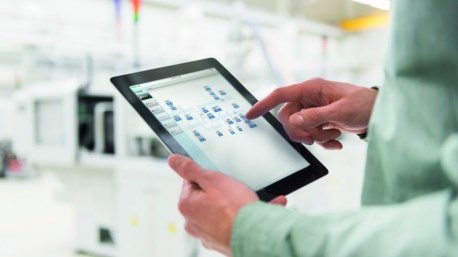
Touchscreen interfaces allow authorised users to monitor equipment and perform everyday adjustments without opening the full BMS workstation.
Available features depend on the chosen panel, controller, web server and licensed software. Correct commissioning determines what operators can see and change.
Desigo Control Point can complement, rather than replace, a central management platform such as Desigo CC.
Desigo Control Point makes selected building functions accessible through local touchscreen panels and compatible web interfaces. Typical users include plant-room technicians, facility managers and room occupants, each with different permissions and information needs.
Operators may monitor equipment status, alarms, schedules and recorded values. A correctly configured system helps explain whether the plant is running normally, where attention is required and which adjustments are permitted. Plant-specific graphics can make complex equipment easier to understand.
Depending on the installation, authorised users may adjust room temperature, lighting scenes and shading. Different room types can have different settings, and the same building can contain areas with distinct operating requirements.
The archived Slovenian presentation describes product families such as PXM40.E and PXM40-1 and BACnet/IP access via web servers. These are useful examples of an operator-interface architecture, but they should not be assumed to describe every current product. Confirm compatibility, licensing, browser support and controller generation for the selected panel or web-server model.
BACnet/IP provides a common technical basis for suitable device connections. Use protected network access, appropriate user roles, current firmware where supported and a documented commissioning procedure. A local operating interface complements a central BMS rather than automatically replacing every enterprise-level feature.